One system. Two types of logs. Everything connects.
Anchorline is built on a simple idea: record what happens, and let the system derive the rest. No formulas to maintain. No cells to accidentally overwrite. Just a clear record of what changed and why.
Two types of logs for two types of tracking
Everything in Anchorline is either a balanced log or a collection log. Choose based on what you need to track.
Balanced Logs
Track value that moves. Money, time, points, credits. The balance is always derived from the entries, so it cannot drift out of sync.
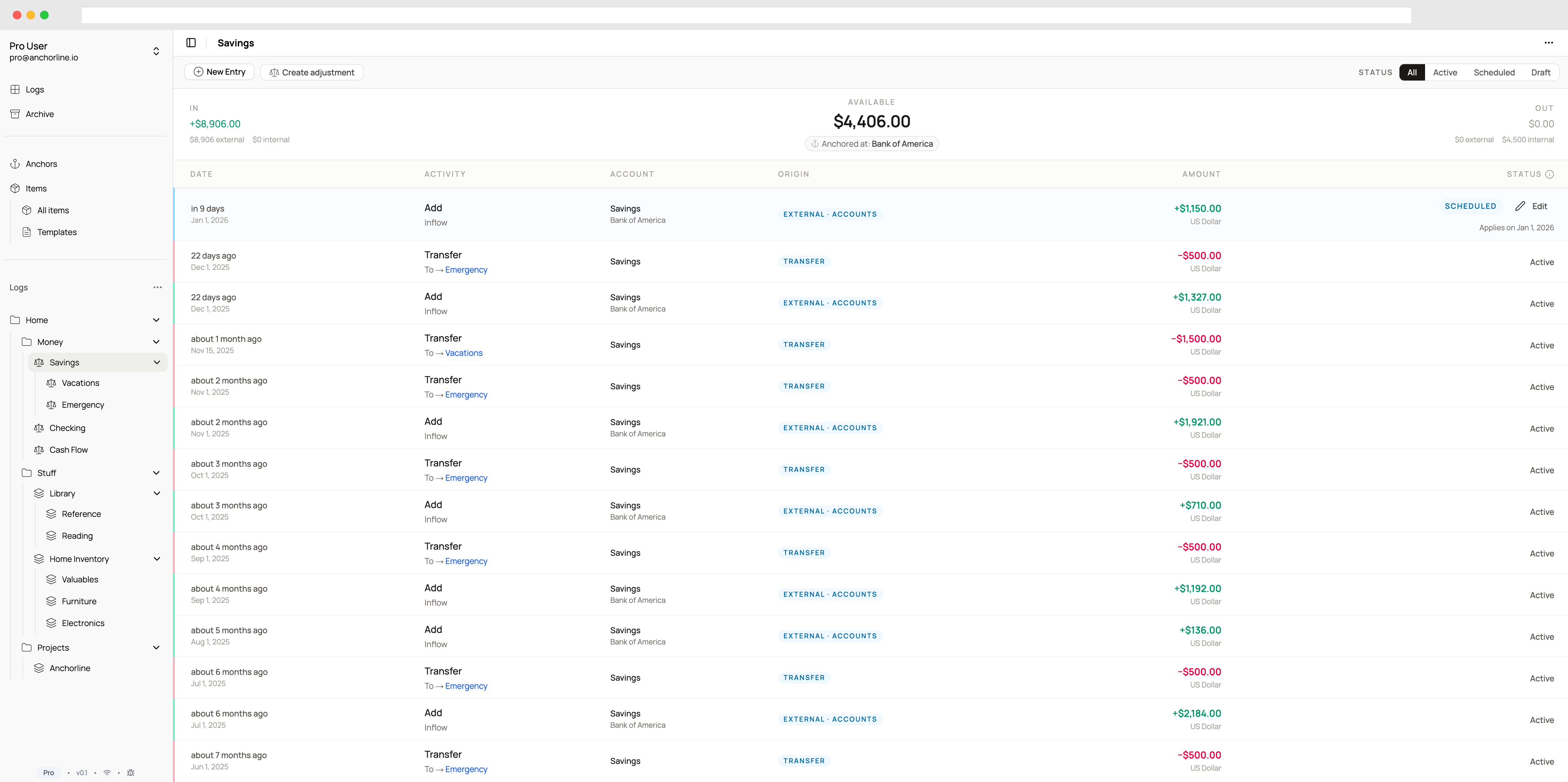
Total, allocated, and available update automatically
Move value and both sides update together
Break budgets into categories that roll up correctly
Good for
Budgets, savings goals, expense tracking, time logs, loyalty points, allowances
Collection Logs
Track things with identity. Books, equipment, contacts, tasks. Each item has its own details and history.
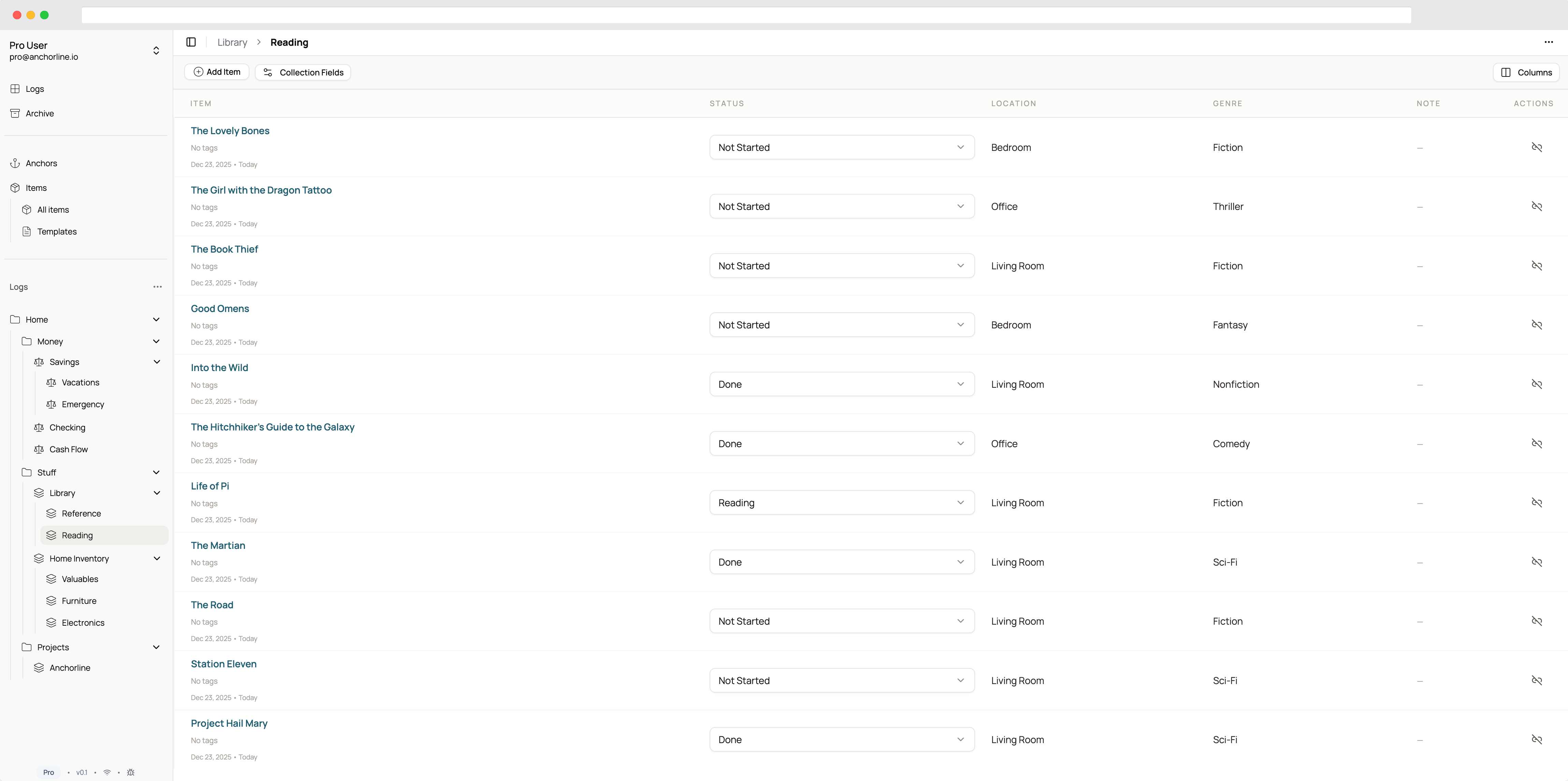
Text, numbers, dates, dropdowns, URLs, and more
One item, multiple lists, updates sync everywhere
Find what you need as collections grow
Good for
Inventories, reading lists, equipment, contacts, tasks, recipes, bookmarks
Record what happened. Let the system figure out the rest.
In Anchorline, you do not edit balances directly. You record entries: income, spending, transfers. The balance is calculated from that history. This means the numbers cannot drift out of sync with reality. If the balance is wrong, you can see exactly which entry caused it.
The same principle applies to collections. You add items, update fields, link things across lists. The system keeps track of when each change happened and what it was. Your data tells a complete story, not just a current snapshot.
Everything that makes it work
The building blocks you combine to track whatever matters to you.
Entries
Each entry records something that happened: income received, money spent, a transfer made. They build up over time to form the complete picture.
Transfers
Move value between balanced logs. Both sides record the transaction together, so the numbers always match.
Items
Individual things you track in collection logs. Each has its own identity, fields, and history.
Anchors
Reusable labels for people, places, accounts, or merchants. Tag entries and items with context you can filter by later.
Child Logs
Nest logs inside other logs. Break a budget into categories, a project into phases. Balances roll up through the hierarchy.
Links
One item can exist in multiple collection logs. Your camera in your gear list, your insurance inventory, and your tax records. Update once, synced everywhere.
Custom Fields
Add the data you need: text, numbers, dates, dropdowns, URLs, anchor references. Different fields for different collections.
Templates
Save a log structure and reuse it. Create new budgets, inventories, or projects with consistent fields instead of rebuilding from scratch.
Export
Get your data out in CSV format whenever you need it. No lock-in. Your records are yours.
What Anchorline is not
Anchorline is not a spreadsheet. You cannot just change a number and hope the rest adjusts. It is not a notes app with fancy organization. It is not trying to replace your bank or automate your finances.
It is a system for people who want to understand how a result came to be, not just what the result is right now. If you care about history, correctness, and being able to explain where a number came from, Anchorline was built for you.
Ready to get started?
Start your 14 day free trial. No credit card required.