
Using Anchorline as a Home Inventory App
Track what you own, where it is, and what it is worth
When used as a home inventory app, Anchorline helps you keep a clear, current record of what you own, where it is, and how it changes. Items are typically organized by room or category, with values, serial numbers, warranties, notes, and anything else that's useful to track. Most people try to track this type of home inventory with a spreadsheet or a folder of receipts which will break down as soon as items move, get replaced, or need a historical record. This keeps inventory as a living record instead of a one-time snapshot.
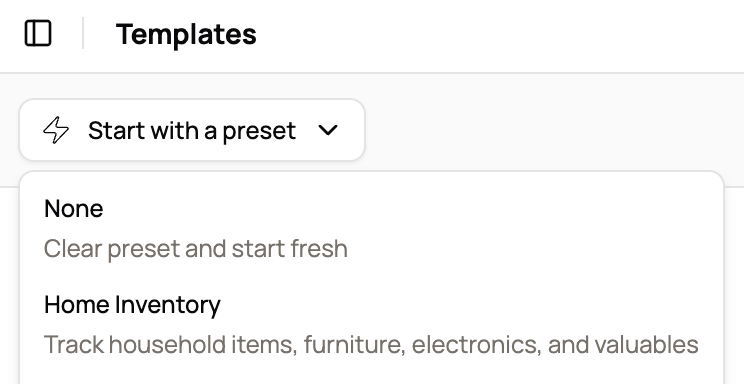
Built-in home inventory preset
Anchorline includes a built-in Home Inventory preset. It provides a sensible starting structure and default fields for tracking household items, furniture, electronics, and valuables.
The preset is optional. You can start with it, modify it, or ignore it entirely and build your own structure from scratch.
How it's structured
Workspace Shape
What you track
Possessions, locations, values, warranties, purchase dates
Structure
Collection logs by room or category, items linked across multiple views
Fields
How you work with it
Create room collections
- Organized by physical location
Add items with details
- Searchable inventory with values
Link items to multiple lists
- Camera in Office AND High Value
Update as things change
- History preserved, current state clear
Frequently asked questions
- Is Anchorline just another home inventory app?
- No. Home inventory is one practical use, often driven by insurance needs, but Anchorline is designed to track possessions over time. That matters when items move rooms, get sold, replaced, or re-valued. Most inventory apps focus on a one-time list. Anchorline assumes your home changes.
- Why not just use a spreadsheet or Airtable?
- Many people do. Spreadsheets work, but they require constant manual cleanup. When something moves, you overwrite a cell. When value changes, you lose history. Anchorline keeps the record of what changed and when, without forcing you to rebuild the list each time.
- Isn't taking a video of my house enough for insurance?
- Videos and photos are useful, and you should have them. The problem comes later. Insurance claims require written lists, values, dates, and proof. After a loss, people consistently report that reconstructing those details from memory or video alone takes months. Anchorline turns photos into structured records you can actually submit.
- How much detail do I really need to track?
- As much or as little as you want. Some people track only high-value items. Others track everything down to kitchen tools. Typical fields include item name, category, location, purchase date, value, serial number, warranty info, photos, and notes. You decide what matters.
- Can I organize items by room, box, or category?
- Yes. Items can belong to multiple collections, such as a room, a category, or a high-value group, without being duplicated. This mirrors how people actually think about their stuff, not how a spreadsheet forces you to choose one column.
- Is this actually useful beyond insurance?
- Yes. People use inventories to understand what they own, avoid duplicate purchases, declutter before moving, track collections, and answer simple questions like "what model was that fixture" or "what size did I buy." Insurance is often the trigger, not the only benefit.
- How long does it take to set up?
- It takes time. There is no honest way around that. Most people build it gradually, starting with recent purchases, high-value items, or order histories, then filling in over time. Anchorline is designed to support that long-term process, not a one-time data dump.
- Can I export my data?
- Yes. You can export your inventory for backup, sharing, or external records. Your data is not locked in.